Transforming waiting into an experience




A virtual assistant that turns long layovers for solo travelers into moments that accelerate the perception of time through traveler connection and personalized airport information.
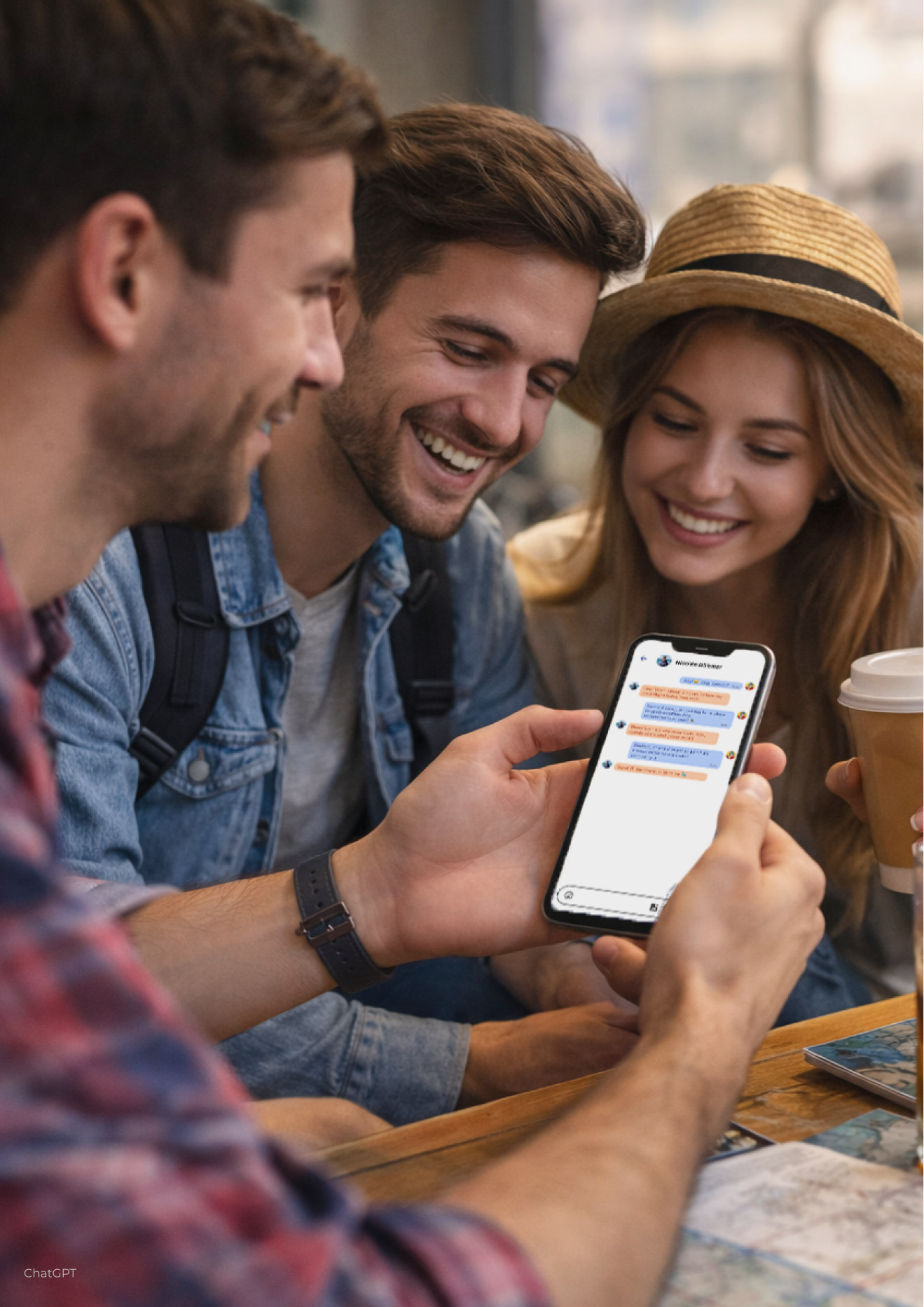
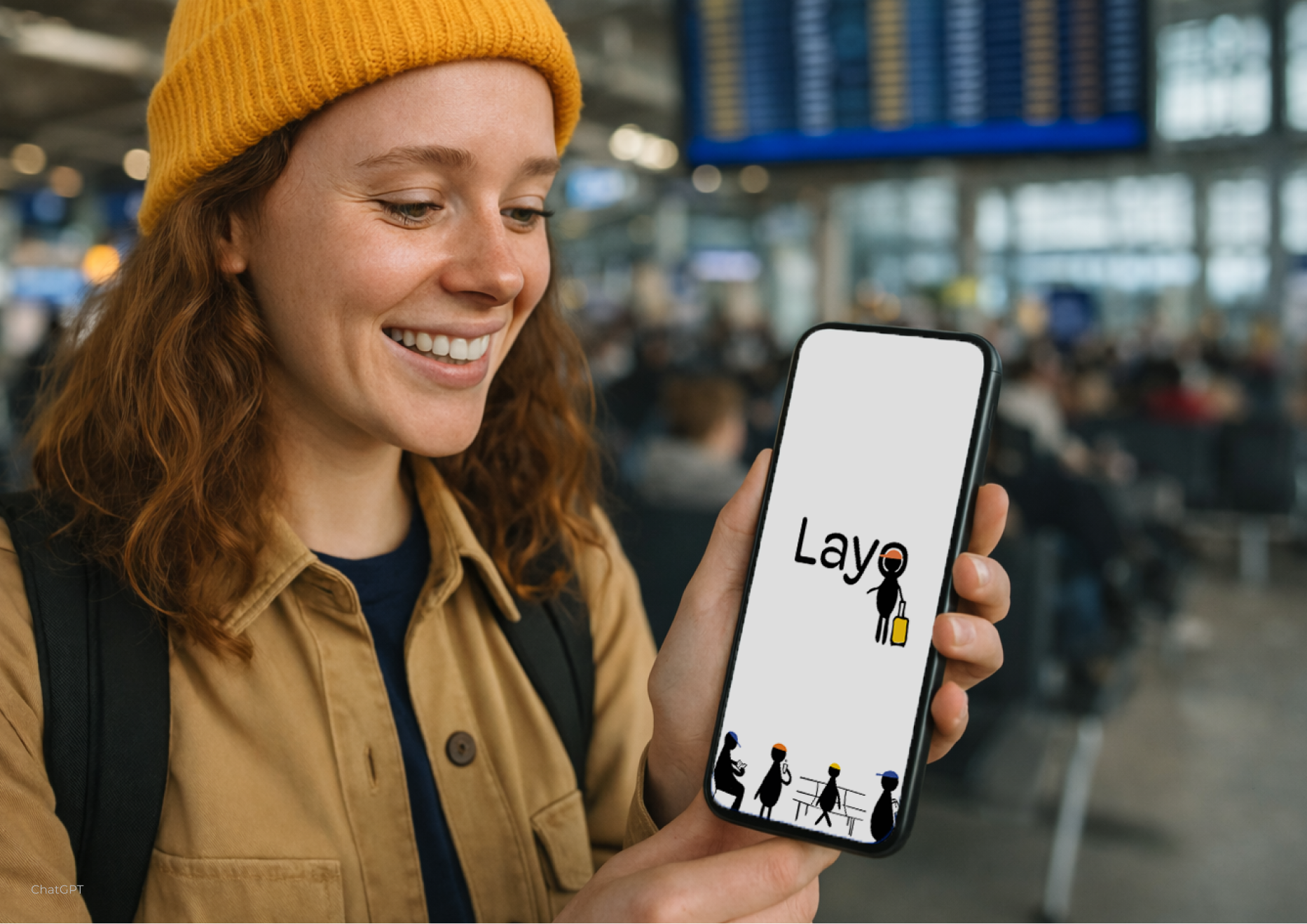 AI-generated image
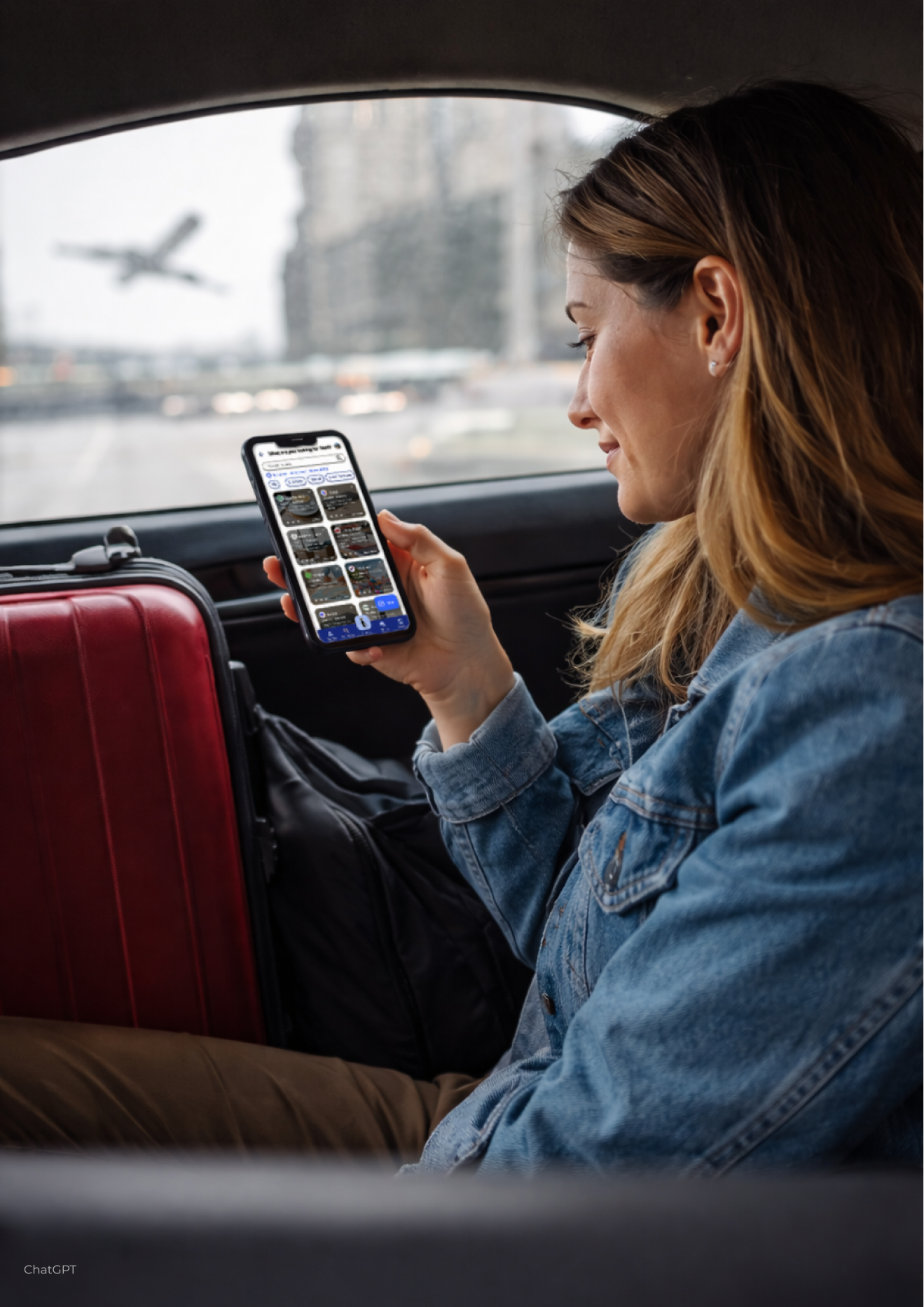
Layo is a virtual assistant that transforms the dead time of long layovers into meaningful experiences for solo travelers aged 20–30. Instead of living the wait as lost time in an impersonal space, Layo turns it into an opportunity to connect with other travelers and to move through the airport with confidence.
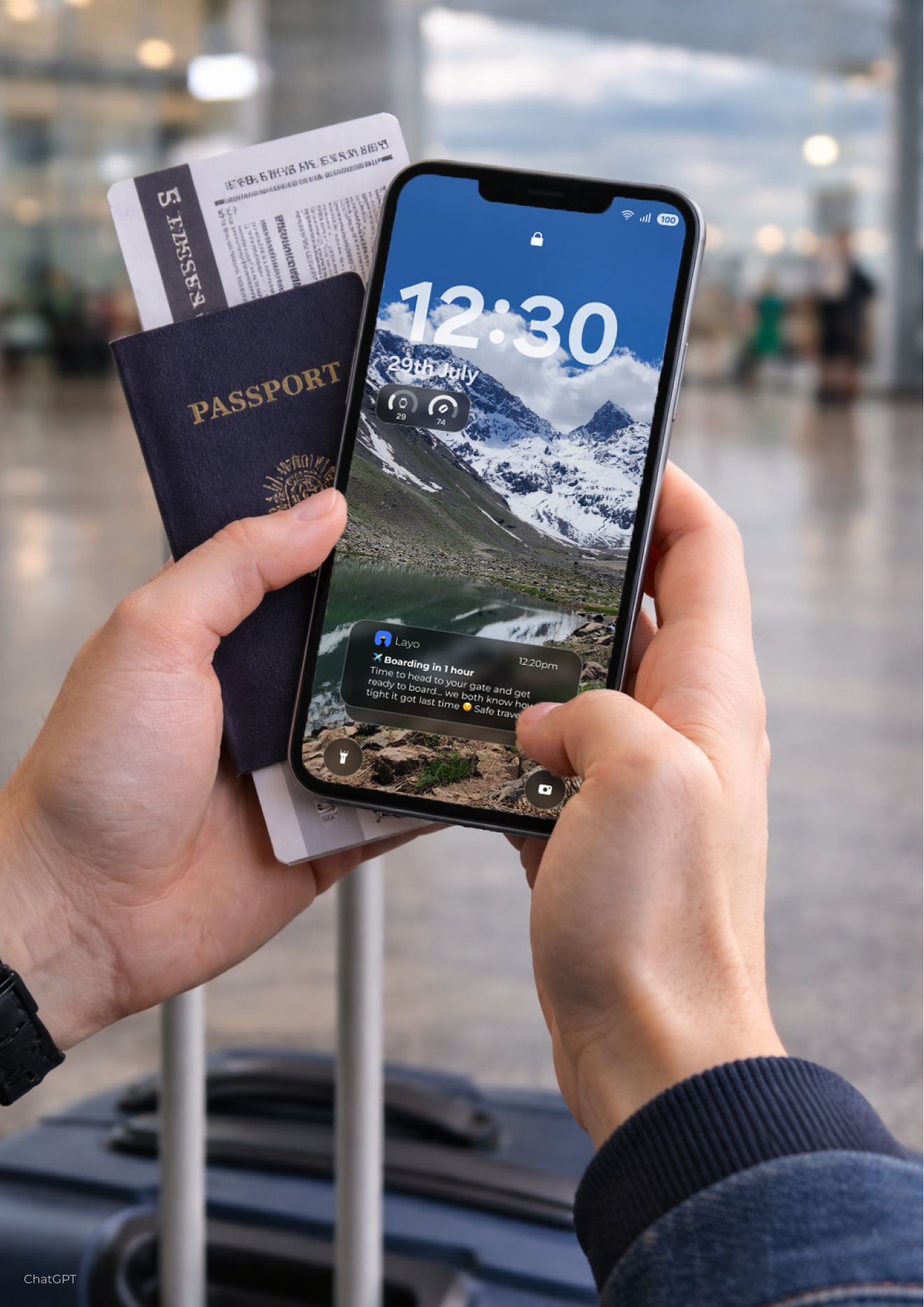
Its intelligence lies in personalization: Layo learns from each traveler's behavior and delivers tailored information, from relevant services and store discount codes to smart boarding reminders. In doing so, it reshapes the perception of time and gives travelers back a sense of control.
The rise in air travel and low-cost flights has made layovers longer and more frequent. For young solo travelers, this time feels like "dead time" in an impersonal space, marked by boredom, stress, anxiety, and loneliness, made worse by how hard it is to find clear information and services within the airport.
Design question
How can a digital system transform the waiting experience of solo travelers during long layovers into moments of engagement that accelerate the perception of time?
Empathize
- Guerrilla Testing (101)
- User Interviews (6)
- Empathy Map
- Personal Inventory
- Survey (90)
- Customer Journey Map
- User Persona
Define
- Key Pain Points Identified
- Problem & Opportunity
- Scope and Limitations
- Design Criteria Canvas
- PESTEL Analysis
Ideate
- SCAMPER Method
- Brainstorming
- Concept Proposal
- First Information Architecture
Prototype
- Paper Prototyping
- Brand Identity
- Design System
- Wireframes in Figma
- Information Architecture
- PiX Diagrams
Test
- Service Design Lab Testing
- Arturo Merino Benítez Airport
- Maze.co Testing
- Validation with Professionals
KEY INSIGHTS
- Lack of control over their time
- Perception of waiting time as "dead time"
- Low visibility of the airport's available services
- Need for activities that are interactive and not centered on consumption
- Anxiety caused by uncertainty
- Need to share and receive recommendations
- High reliance on social media
- Strong need to share experiences
- Personal growth
- Meaningful experiences
Explorers Type
Intellectual curiosity, cultural interest, learning, and open-mindedness.
They interact with locals and other travelers, combining planning with spontaneity.

SOLO TRAVELERS 20-30 years old
-
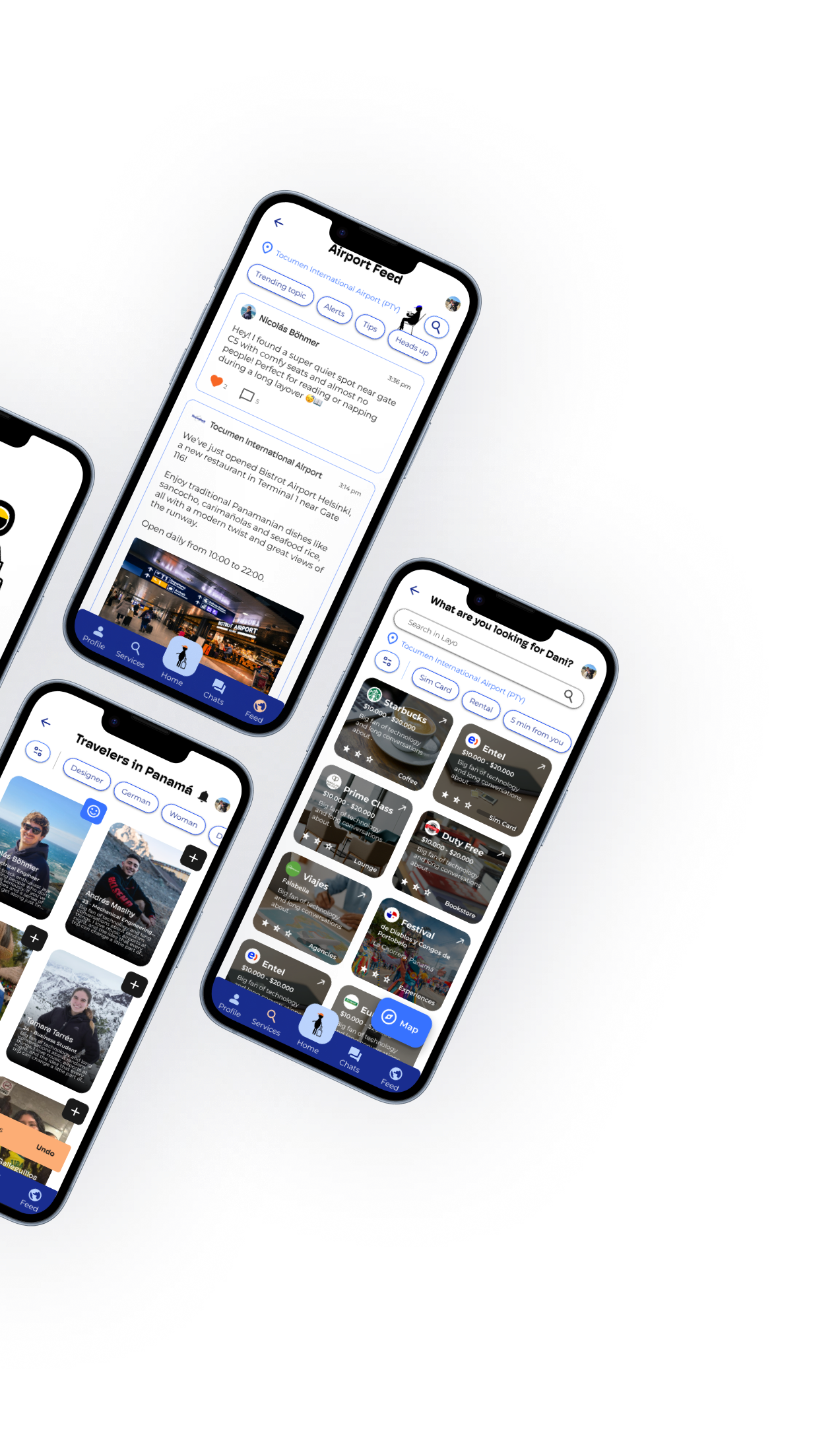
Map & services
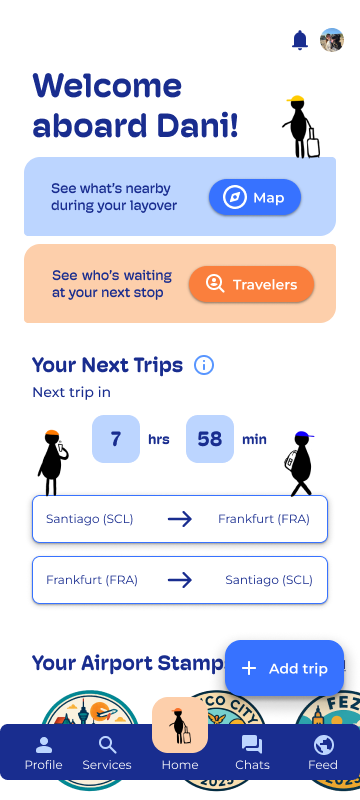
Quick location of restrooms, restaurants, and facilities, with distances and estimated walking times.
-
Airport Feed, information + community
Brings together official airport and service information alongside posts from the traveler community itself. Users can share real-time updates while the airport and its stores also post information and news.
Everything is personalized to the traveler's behavior: Layo learns from them to send smart boarding reminders and store discount codes.
-
Traveler connection
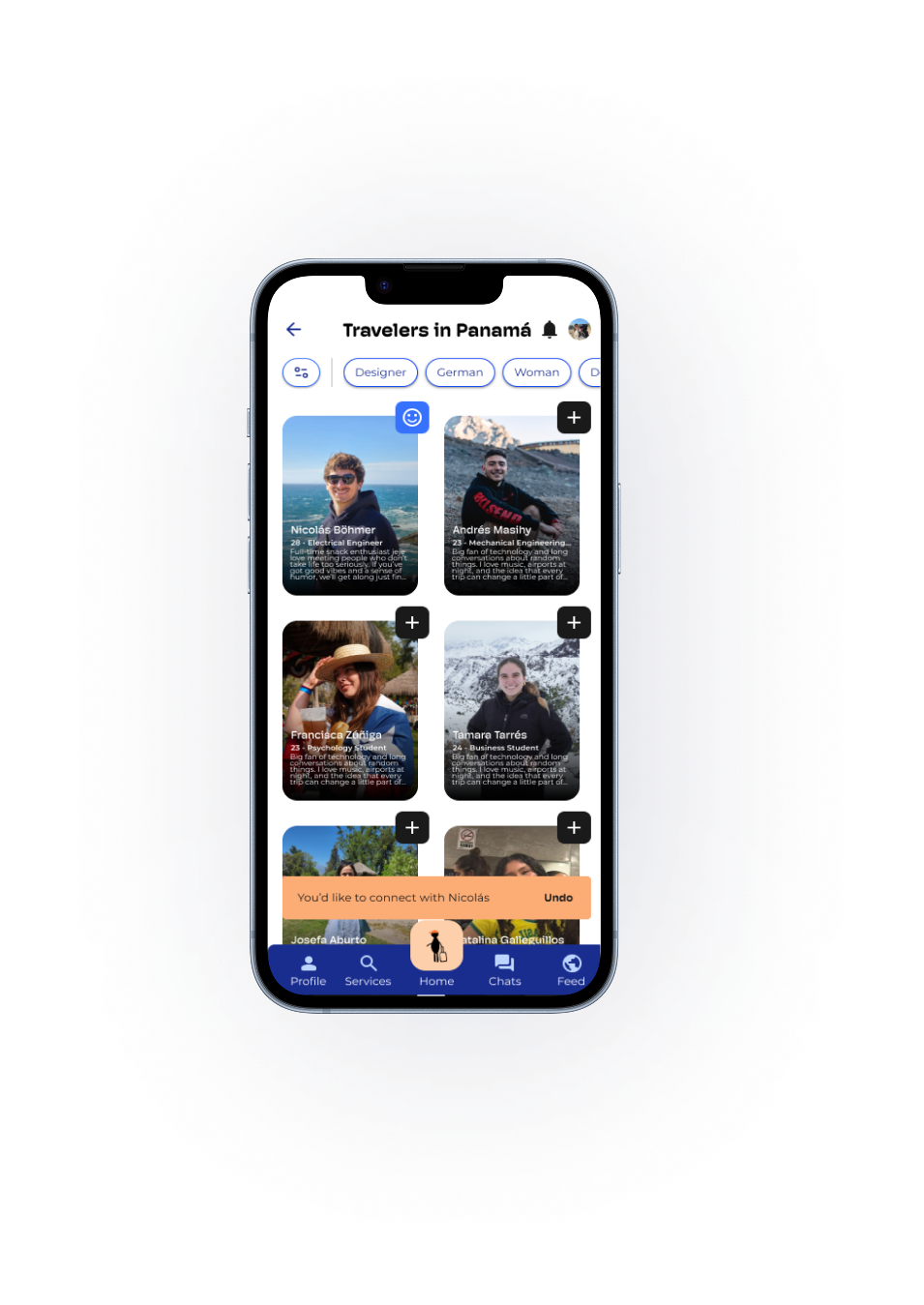
Discover, filter, and reach out to other people during the same layover, reducing friction in a moment of tiredness or uncertainty.
-
Gamification
Each time a traveler arrives at a new airport, they earn a collectible stamp. This collection system encourages app usage and gives identity to an impersonal space. In the future, stamps could be redeemed for real rewards (miles, or a free product when reaching a certain number), strengthening user loyalty.
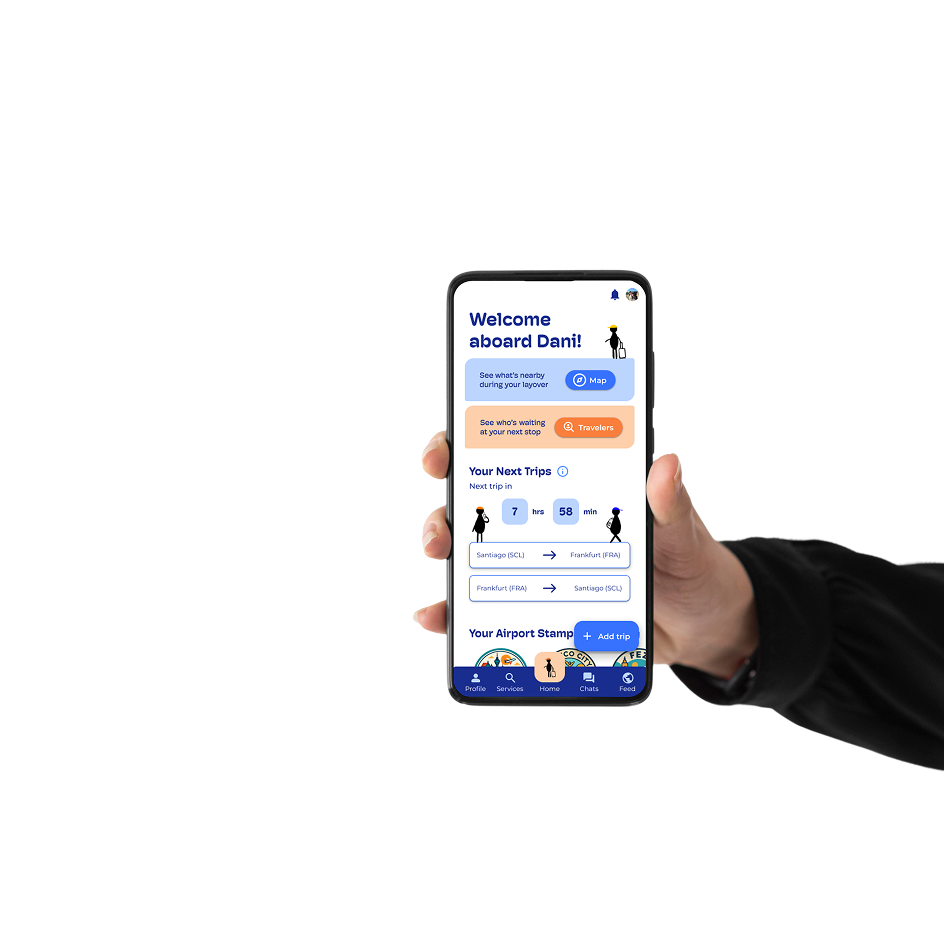
Layo brings together three dimensions of the airport in a single tool

 Media
Media
1. Lab simulation (7 participants)
What I did: I tested the first high-fidelity prototype in a simulated airport to see whether people understood the interface before taking it to the real thing.
How I did it: I set up a layover scene at my university’s Service Design Lab with projectors, sound and rows of chairs.
Seven people aged 20–30 went in one at a time, so nobody was influenced by anyone else. Each one completed four tasks: create an account, connect with a traveler, chat with a traveler and find a service. Then they rated how difficult each task was on a 1–6 scale, where 1 meant “very easy” and 6 meant “very difficult”. I used six points instead of five to avoid a neutral middle option and force a lean toward easy or difficult. They also told me what they would improve. I recorded the sessions on video, with permission.
Results: Creating an account felt easy and familiar. Connecting with travelers took the longest. Several people tried to enter a layover through the trip summary and could not find the main Travelers button, even though it was the largest in the navigation bar. The services icon was not understood right away either.
What I learned: A big button doesn’t help if its icon doesn’t explain itself. People asked for a mini tutorial, and I read that as a sign that the icons needed work. I solved it by changing the icons and labels instead of adding a tutorial. Another participant suggested a “Go to chat” button right after a match, and that became a design change.
2. Real airport (5 solo travelers)
What I did: I took the revised prototype to a real airport to see how it works under actual layover conditions: noise, crowds and tired, bored passengers.
How I did it: At the international terminal of Santiago’s airport, I tested with five solo travelers aged 20–30 who were on a real layover. Each one explored the app freely for about a minute. Then they completed three tasks: log in and open the map, find a car rental, and connect with the first traveler in the Panama layover. They rated each task on the same 1–6 scale, but reversed: 1 meant “very difficult” and 6 meant “very easy”. They also answered whether the app could make their wait feel shorter.
Results: Finding a car rental was the easiest task: all five rated it 6, for an average of 6.0. Connecting with another traveler averaged 5.6. Opening the map was the hardest, with an average of 3.4 and ratings from 1 to 6. Three of the five rated it 3 or lower. Several people tried to reach the map through the airport name button on the services screen. When asked whether Layo could make the wait feel shorter, all five said yes.
What I learned: The lab hid a problem that the real airport exposed: a feature can work well once found and still go unseen. Services and connecting were smooth, so the core idea held up. The map needed a clearer position and contrast, not a redesign.
“I just sat in one of these chairs and tried to sleep, because I didn’t know anyone here. It would have been easier if I could search for services and have someone to grab a coffee with — it would have made this time shorter and more fun.”
3. Remote testing with Maze (23 participants)
What I did: I wanted numbers I could compare between versions, so I ran remote tests and kept improving the prototype between rounds.
How I did it: The first rounds had two participants each, enough to spot navigation problems quickly, and I adjusted texts, hierarchy and button positions between versions. The final round had 19 participants. They completed four tasks and rated each one on a 1–6 scale where 1 meant “very difficult” and 6 meant “very easy”. They also answered two questions about the experience, where 1 meant “not at all” and 6 meant “absolutely!”, plus open questions.
Results: Success rates were 78.9% for signing up and adding a trip, 73.7% for finding the services map, 68.4% for finding a car rental and 73.7% for finding and connecting with travelers. Ease averaged between 5.1 and 5.7 out of 6. For “Does Layo make your waiting time go by faster?” the average was 5.4. Sixteen of the 19 answered 5 or 6, and nobody scored below 4. For “Does Layo give you more control over your time?” it was 4.8, the lowest score. Part of the drop-off came from prototype limits, such as elements that were not clickable, and not only from the design.
What I learned: The idea works: people believe Layo can make the wait feel shorter. Control over time is the weak point, and participants named what is missing: gate and boarding information, last call and luggage status. They also showed me that the map and the Travelers feature still needed to be more visible, and that two similar magnifier icons for different jobs caused confusion.
Expert feedback
I presented Layo to five professionals from UX, service design, software engineering, psychology and aviation.
UX & Service Designer, Bosch
Your app is not about the journey. Your app is about the layover.
You defined what you want your value proposition to be: removing uncertainty, preventing boredom, and connecting people. Those are your three main structures, and they directly tackle the problem.
Connecting people who share the same interests is a very strong aspect of the app. As a traveler who traveled recently, this feature really resonates with my experience.
Stamps are a key differentiator; they allow users to stand out. It adds a layer of gamification that encourages people to use the app across every single airport.
Psychologist & senior recruitment consultant
As a psychologist, I can tell you that this app helps manage the baseline anxiety that comes with traveling. It serves as an essential emotional support tool for solo travelers.
What this app does is demystify the concept of the “non-place.” It brings life, connection, and social interaction to a space that is usually just in transit.
It creates an international collaboration network for airport layovers, turning an isolated waiting period into an opportunity to build positive human connections.
UX & Agile Coach, Bosch
It is crucial to include clear airport identifiers, such as three-letter IATA codes and specific terminal details. Providing visual guidance and obstacle awareness reduces traveler stress during transit.
Unlike standard airline apps, an intelligent boarding reminder leverages historical traveler behavior and real-time airport data to recommend personalized, preemptive actions based on individual routines.
Beyond airport services, the app’s core value lies in fostering interpersonal connections, mitigating isolation, anxiety, and boredom by enabling travelers with similar profiles to share their wait times meaningfully.
First Officer A320, Eurowings (Lufthansa Group)
What I find most valuable on a layover are the airport facilities: knowing where to eat, where to sleep, how to find your way. That’s where the app really helps.
Using GPS indoors is inaccurate because the airport structure blocks satellite signals. To effectively guide users inside enclosed transit areas (Airside), it is far more reliable to use gate numbers or fixed landmarks as reference points.
Many airports lack reliable Wi-Fi, and transit travelers don’t always have mobile data. Allowing users to pre-download airport maps and information enables them to plan their layover while still on the flight or before landing.
Travelers usually deal with layovers spontaneously because their primary focus is the main destination. As a result, the most valuable features on the spot are reactive solutions, like quickly finding a place to eat, rest, or locate basic services.
Software Engineering, Program Management & Technology Leader
The problem Layo addresses is real. I could see it built for a specific airport.
It would be interesting if the app also let relatives find out they’re in the same layover.
How testing and feedback changed the design
The name had to change. My first name for the app was NAVII, short for “navigation”, with a second “i” so the letters could become little people in the logo. When I tested it with users and discussed it with my thesis advisors, they pointed out that when you say it out loud it sounds like “Navy”, which suggests the military or the sea and is far from what the app is about. I dropped it and ran a second round of naming that focused on the layover itself. That gave me “Layo”, short for “layover”. It is short, easy to pronounce in different languages and points straight to the moment the app is about.
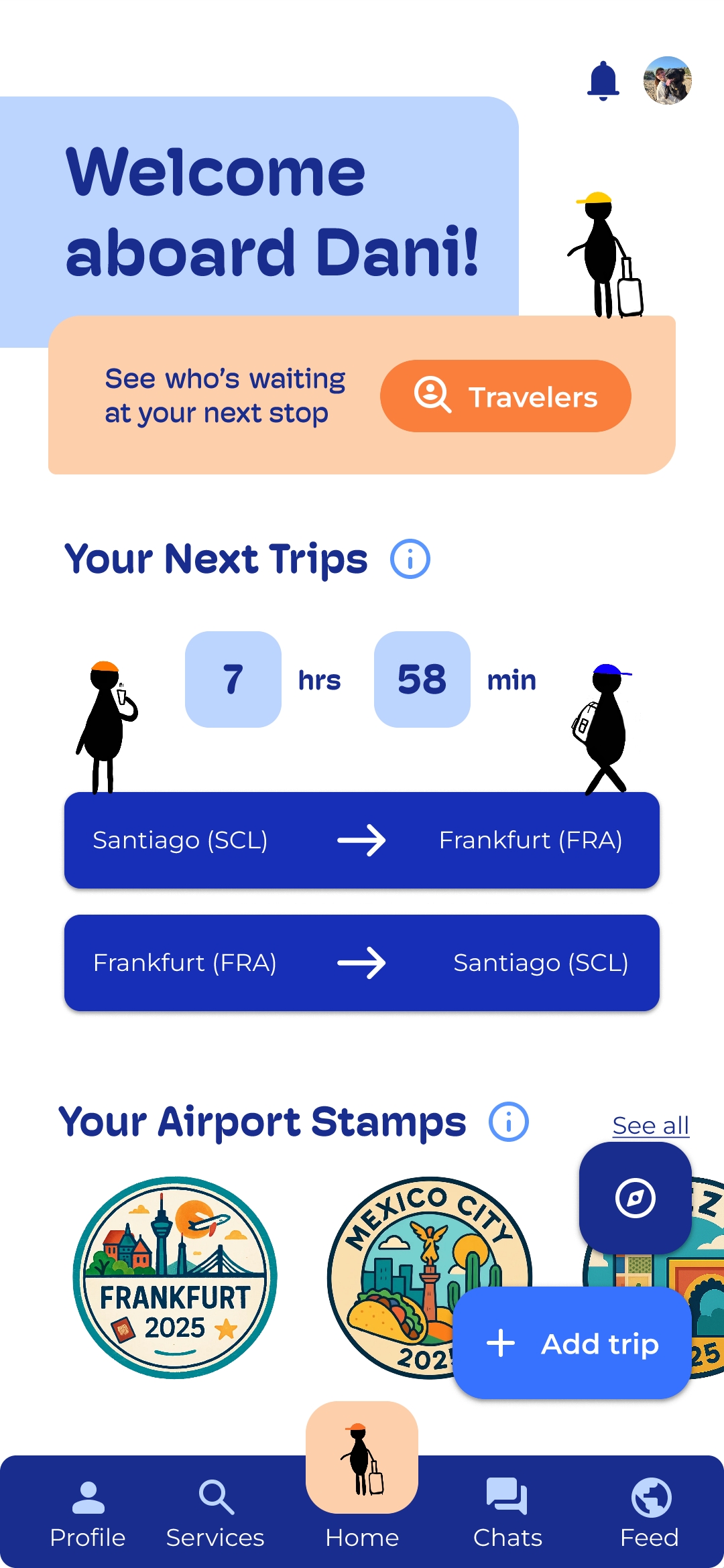
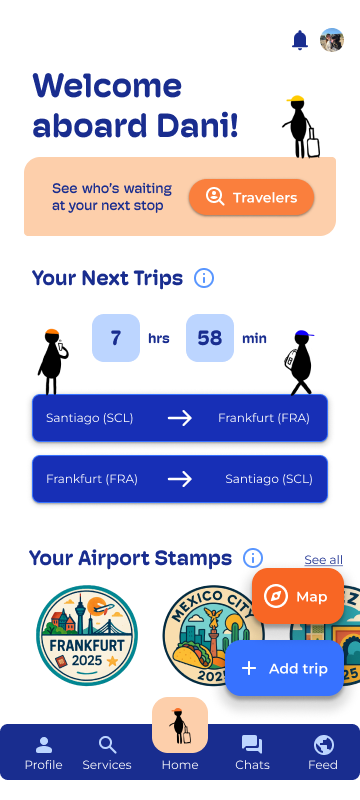
Finding the map took three attempts. In the Maze test the map task had the highest misclick rate (81.3%). Several participants went to “Services” first instead of the compass icon. One said: “Icon is too small to see the services map, so it is unclear where to press.” (Participant, Maze test). Another suggested: “Add a little text below that says map maybe.” (Participant, Maze test). So I first changed the color, then added a “Map” label, and finally moved the map to the home screen next to “Travelers” in a contrasting color. In a later Maze round, participants found it without trouble.
Travelers became a main action. Participants liked meeting people but missed the feature. “I used the CTA in the middle of the screen, but I think some people would skip this without knowing.” (Participant, Maze test). Others said two features seemed to do the same thing: “There was another feature in the home page to connect with people, so it feels like a duplicated feature. I don’t know where to search.” (Participant, Maze test). Now a “Travelers” button sits on the home screen, and the first navigation slot became Home, with the Layo logo.
Two similar icons, two different jobs. “A similar magnifying icon for ‘services’ and for connecting with people could be a bit confusing.” (Participant, Maze test). The services icon is now a magnifier, with text labels on every navigation item.
From search to conversation. After a match, users now get a “Go to chat” button.
Home hierarchy. Participants said the home screen had too much information and color. “The homepage has a lot of information and use of color that can overwhelm the user.” (Participant, Maze test). I reorganized the home around layover time, Travelers and the Map, and left the trip details in white.
Stamps had to give something back. “The stamps don’t add much to my stay. I would have liked suggestions of places to go or discounts with the airport.” (Participant, Maze test, translated from Spanish). Stamps can now be redeemed for rewards.
Airport codes and terminals. A UX coach pointed out that in cities with several airports or distant terminals, a missing code can cause missed flights. Every airport reference now includes its three-letter IATA code (e.g., SCL, PTY, FRA).
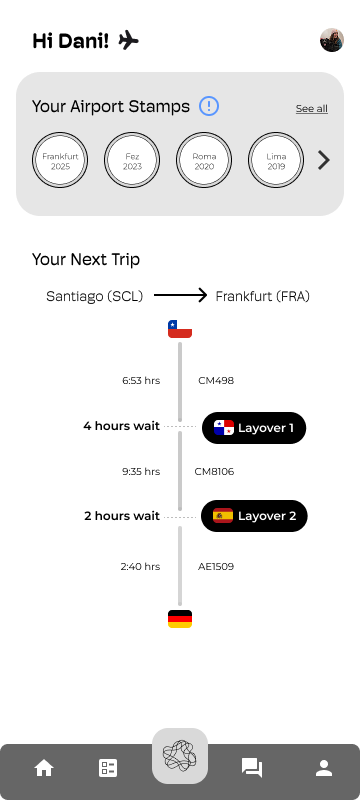
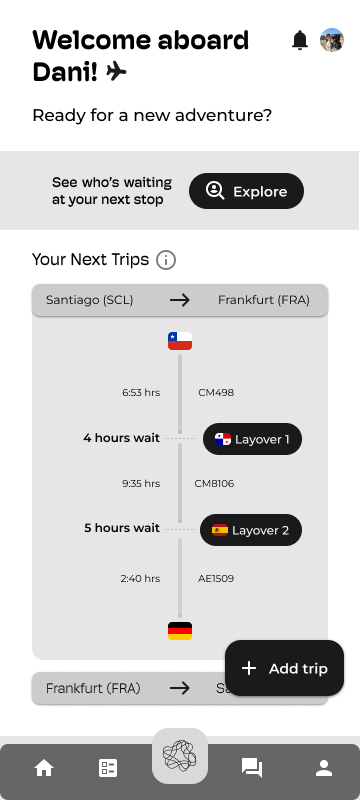
Layo reached a validated functional prototype, with a scalability roadmap toward specific airports. Expert validation confirmed both the real relevance of the problem and the strength of the value proposition.
Layo transforms the dead time of layovers into moments that accelerate the perception of time for young solo travelers.
It does so by centralizing personalized airport information and enabling real connections between travelers, turning a "non-place" into a meaningful experience.

Layo taught me to design from people, not from the screen: the most valuable insights didn't come from my assumptions, but from listening to travelers and experts, and letting the project evolve with each iteration.
Explore