
Interactive installation · 2023
Circular screens that blend into the airport — until a traveler raises a hand and opens a portal to Chile.
The goal: make known the wonders found across our country — and spark interest in getting to know and traveling to Chile.
Portales is conceived as circular screens hanging from structures in airports around the world, as part of the architecture. Seen together, the circles compose one complete Chilean landscape; each one shows a piece of it.
The interaction
Three moments
-
From afar, they disappear
The circles project the same image as the airport behind them, so they go unnoticed — part of the space, not an object asking for attention.
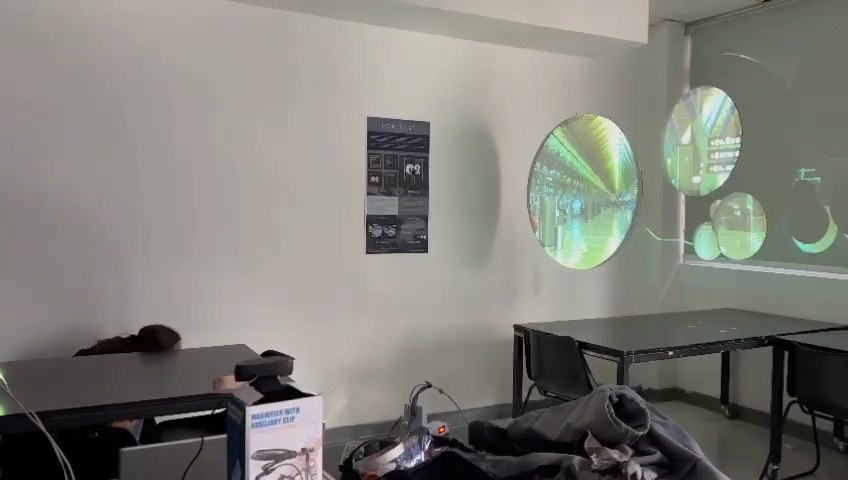
-
Up close, a sign appears
As someone walks up to the front of the circles, a short animation shows a figure making a hand movement. The traveler only has to copy it. The gesture is inspired by Doctor Strange opening portals.
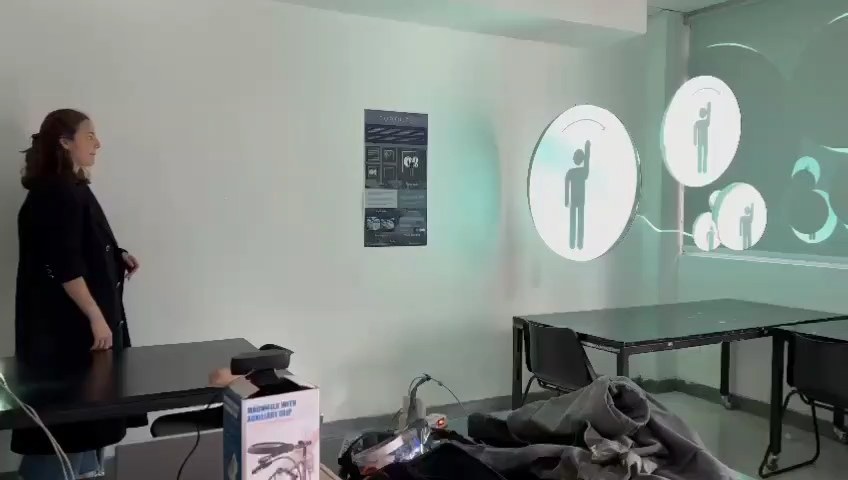
-
The gesture opens the portals
When the traveler makes the movement, the portals “open” and videos of Chilean landscapes appear. It is a small trip: getting to know a bit of Chile without leaving the airport.
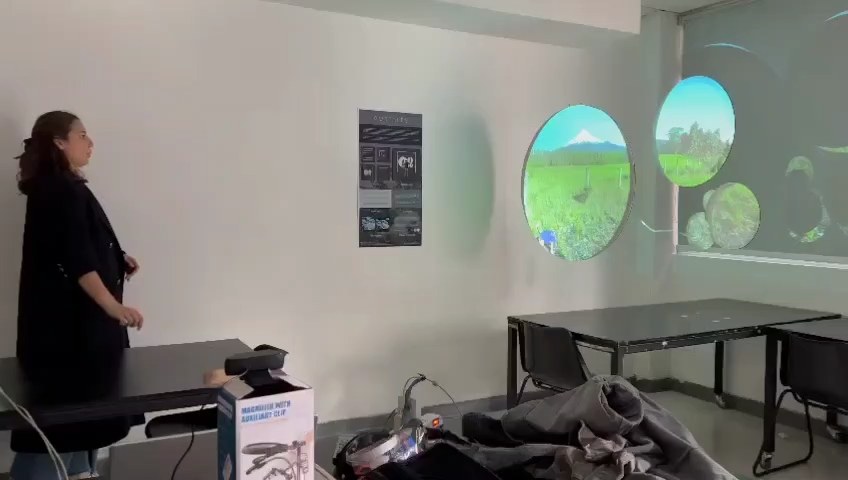
Why this project
Make other destinations visible
“Our focus since we took office has been to make other tourist destinations visible.”
Very well-known destinations, nationally and internationally, collapse — Torres del Paine among them. The aim of this project is to make known the wonders found across our country and, in this way, spark interest in getting to know and traveling to Chile.
Who it is for. According to Sernatur and the Undersecretary of Tourism, the people who travel to Chile most for vacations are adults between 25 and 30, men and women, usually alone or with a partner.
From idea to system
Sketches, lettering, color
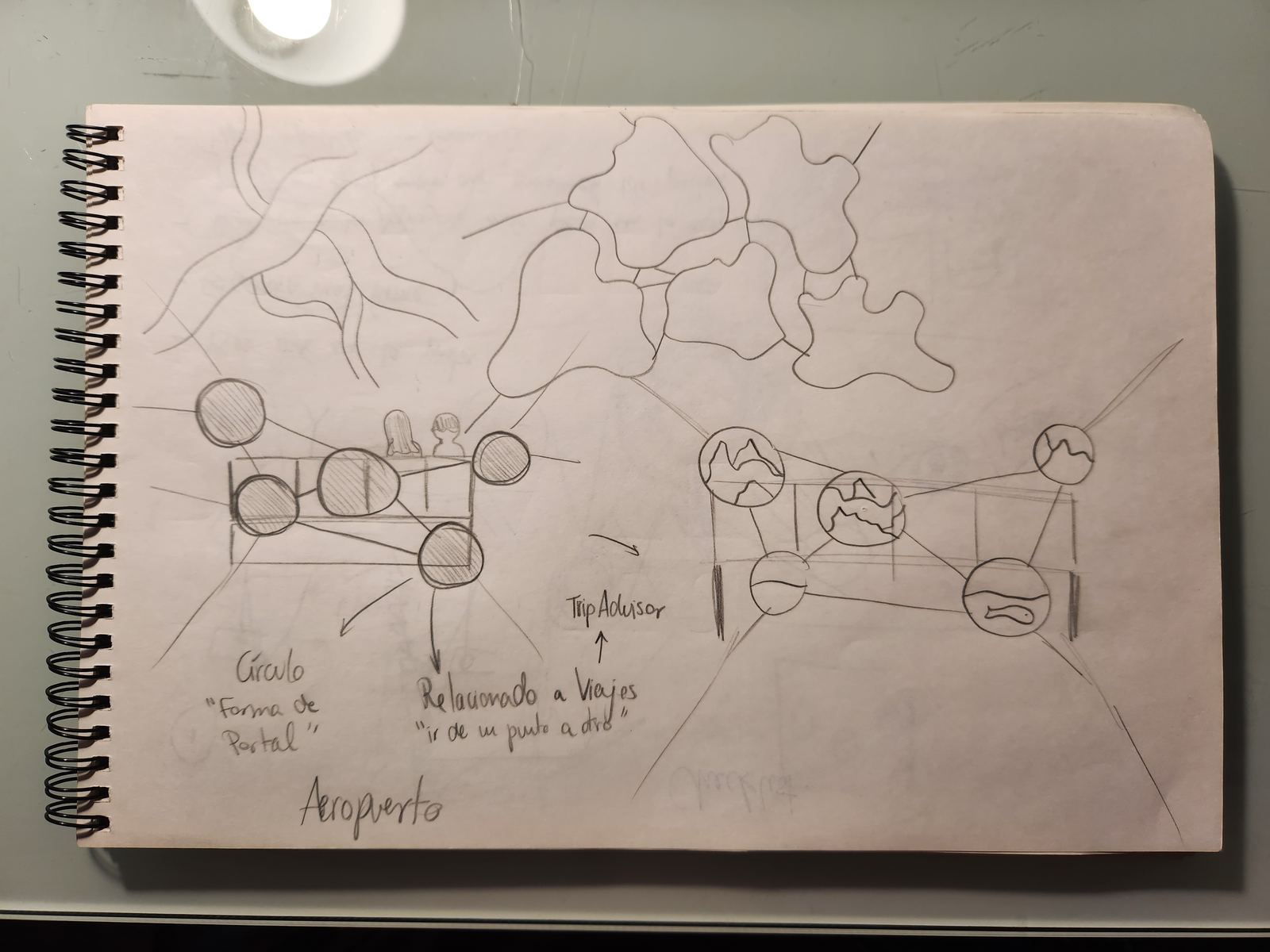
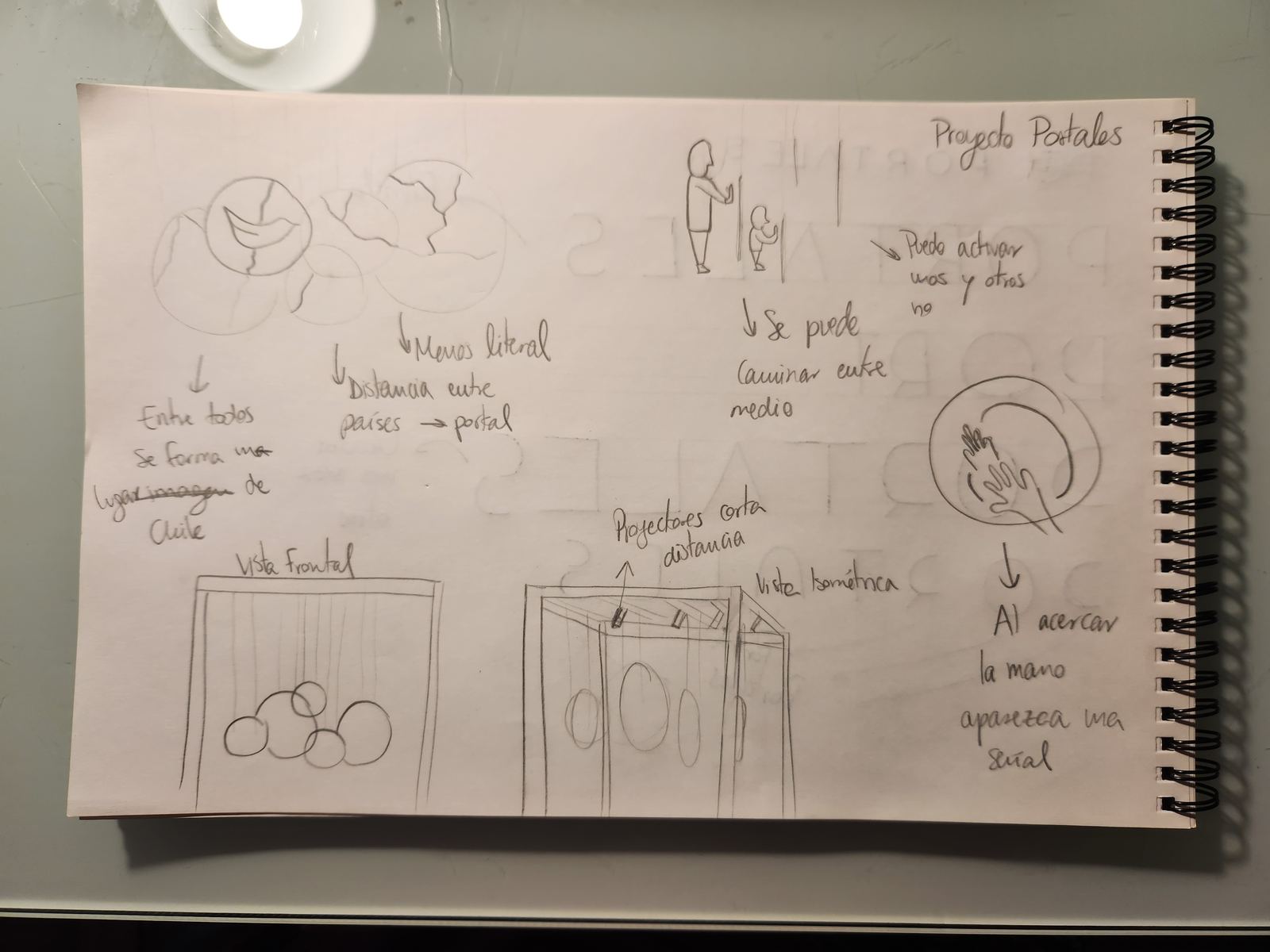
Custom lettering, drawn by me
Portales is meant to feel futuristic: “opening portals” and traveling instantly to another place. That is why I drew wide sans-serif letters; the curves built into them let you see portals inside the letters.
Color
- #1F2538
- #58676A
- #B8CACB
- #FFFFFF
Cool colors, for the futuristic feel; blues and greens, because of the nature shown in the portals.
Mood
My Pinterest moodboard ↗The structure
Modeled in Blender
From the front, the circles show the same photograph as the airport behind them — that is the camouflage. Rotate the model to see how it is built.
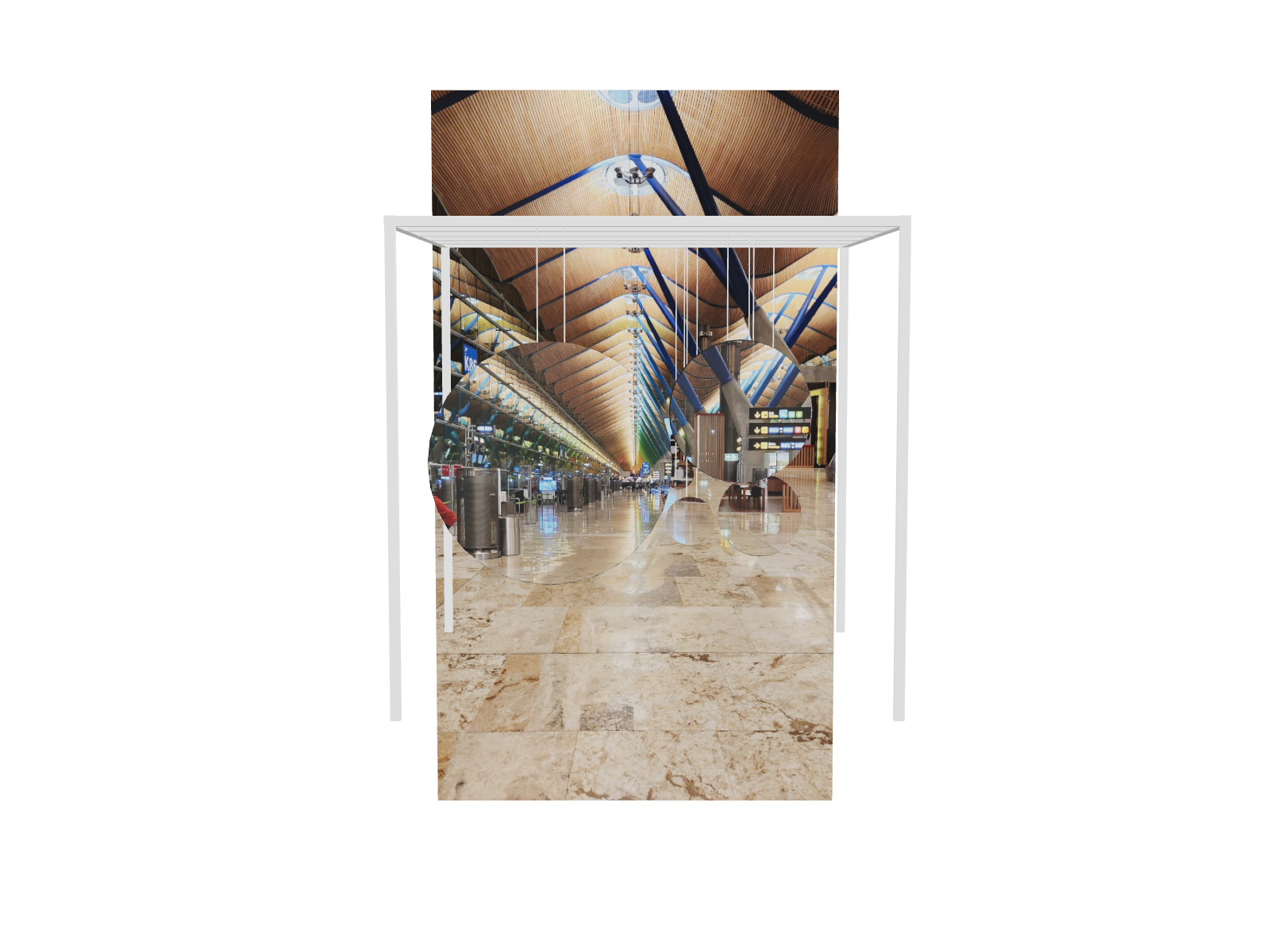
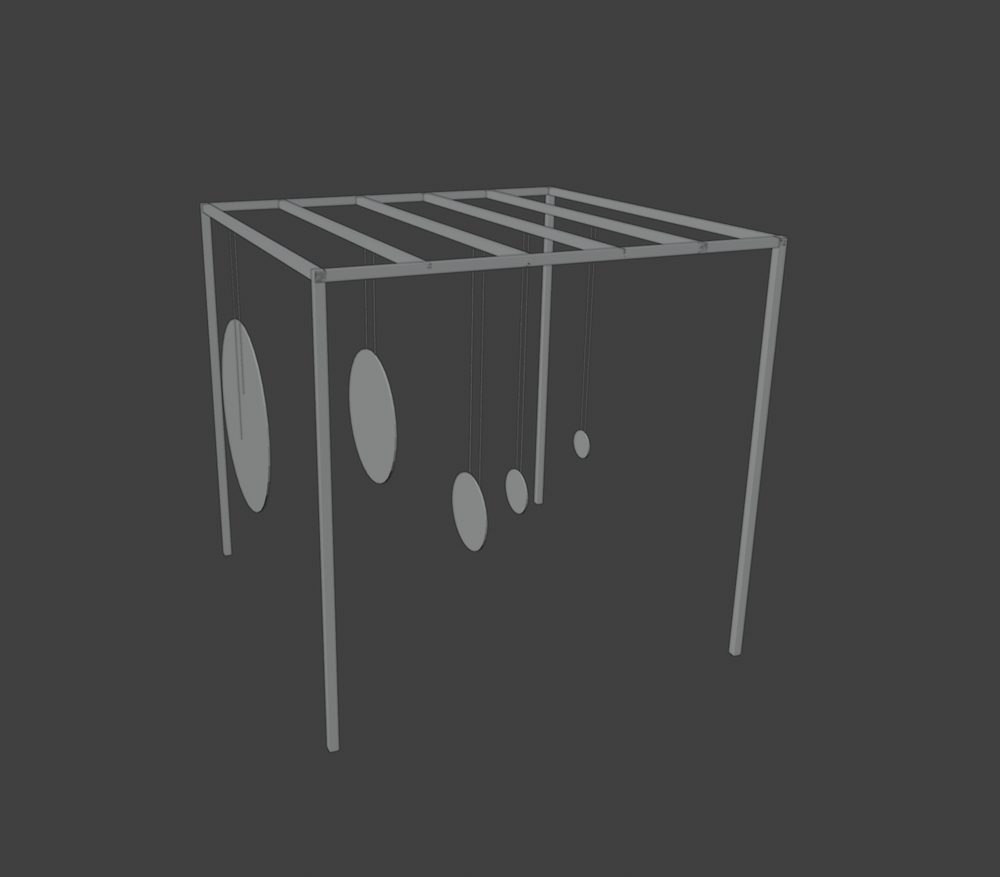
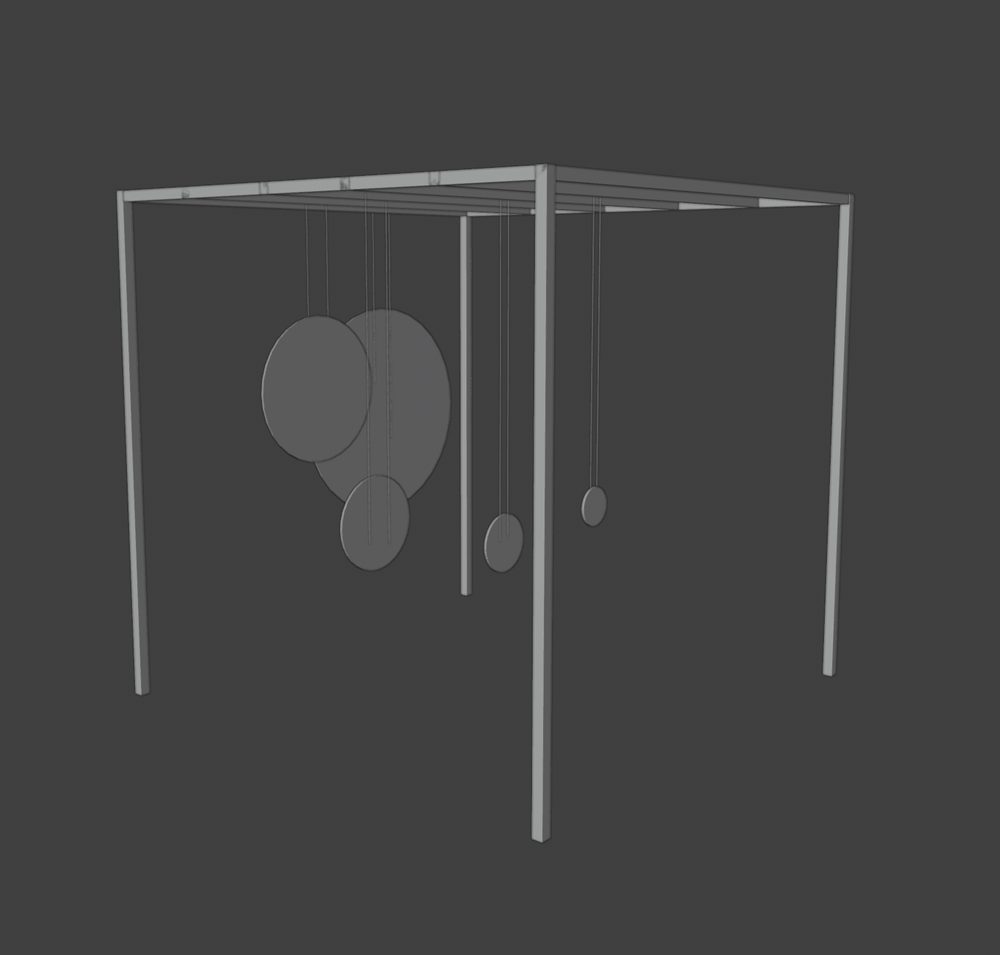
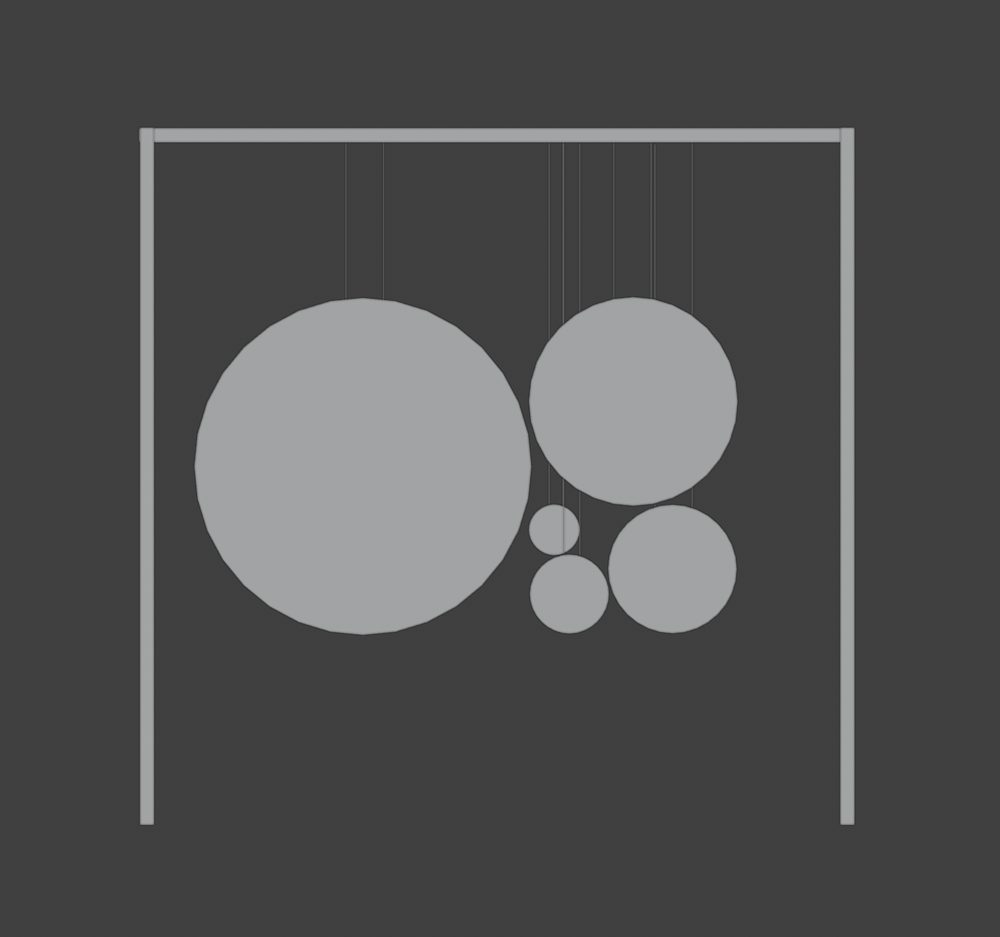

A frame with circles of different sizes hanging at different heights. Views from my Blender model.
Technology
How it is built
- Webcamsees the traveler
- GestureProcessing · OpenCV
- Video mappingMadMapper
- ProjectorEpson
- Circlesthe portals
For a real installation
- Projector of at least 4,000 lumens, 1920×1080, for a sharper image
- Webcam at 4K or 1080p
- OpenCV to process the camera frames and play the videos
- A Raspberry Pi in place of the computer
- Circular screens
In the classroom
I projected onto circles hung in front of a wall, driven from a laptop.
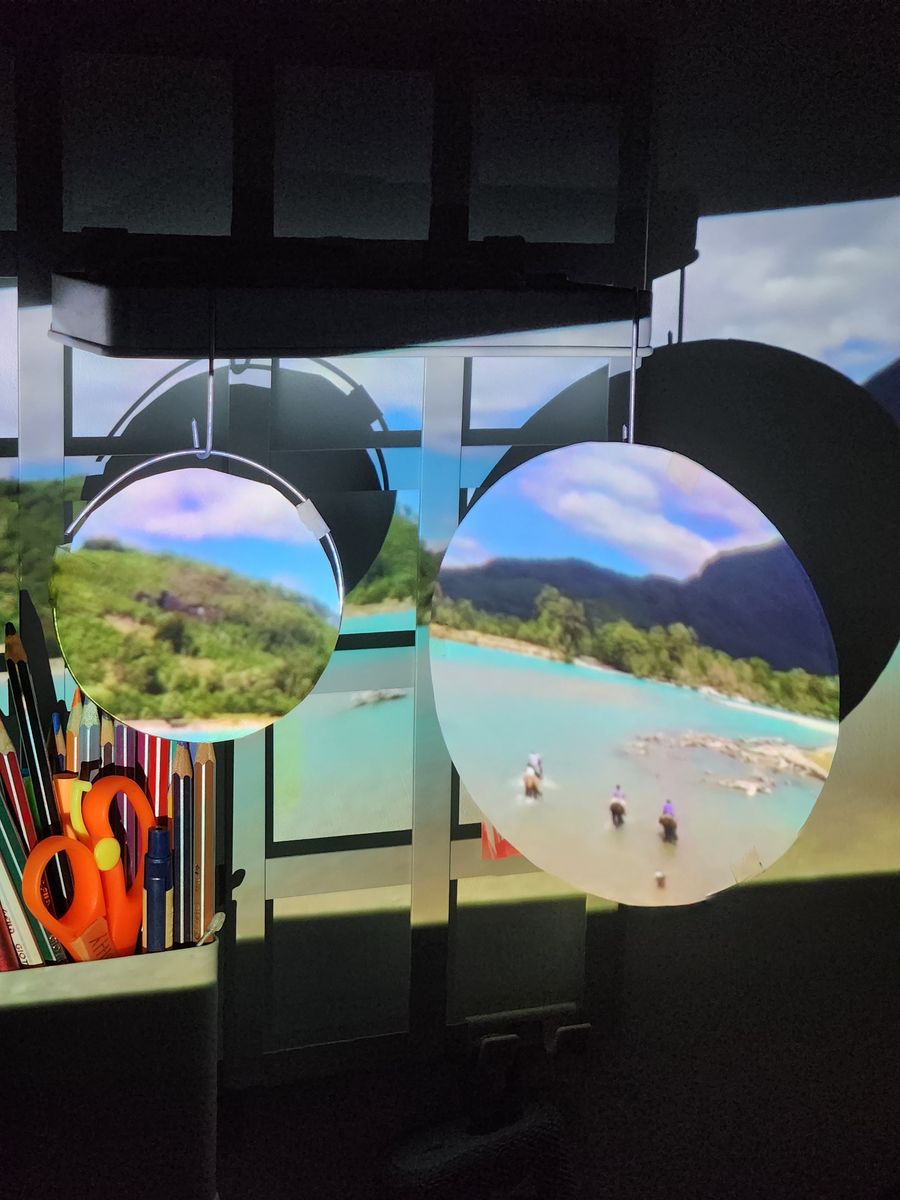
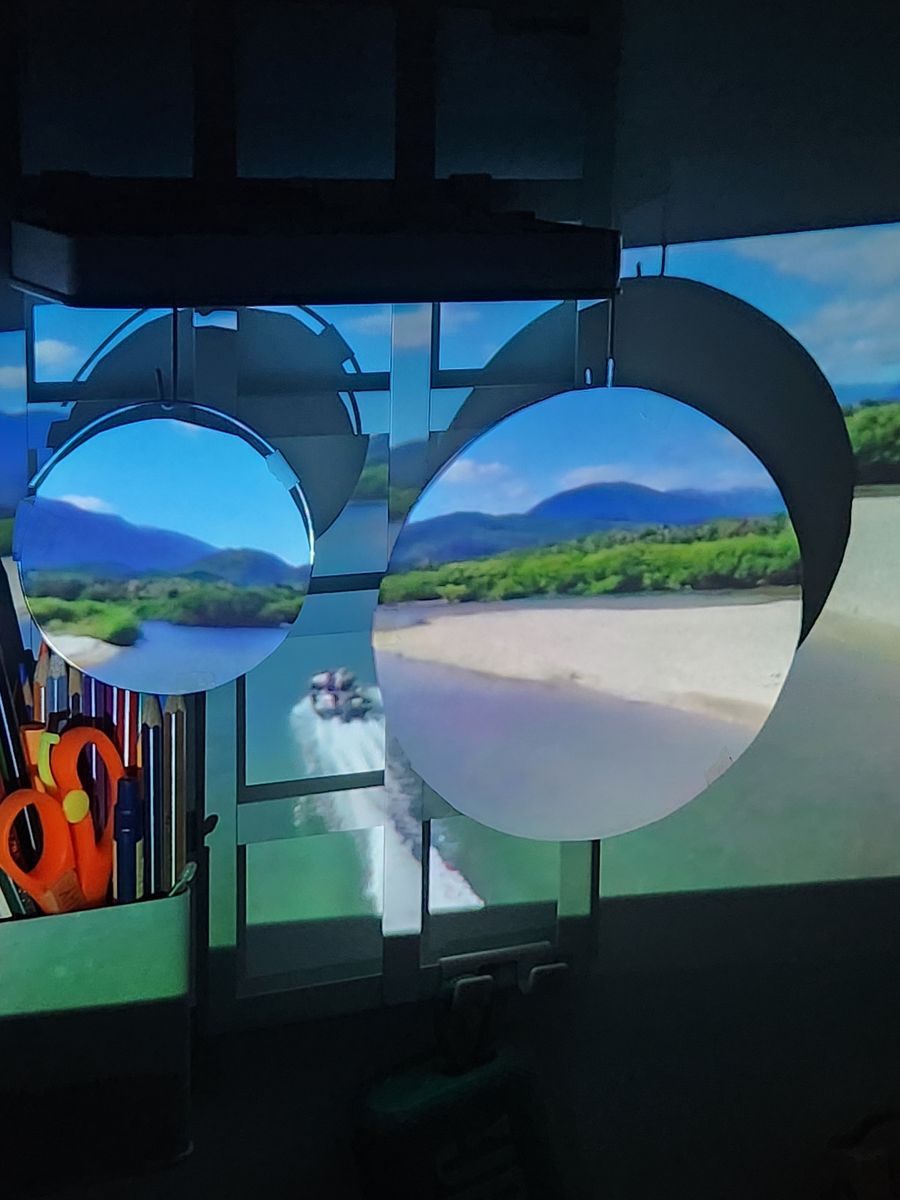
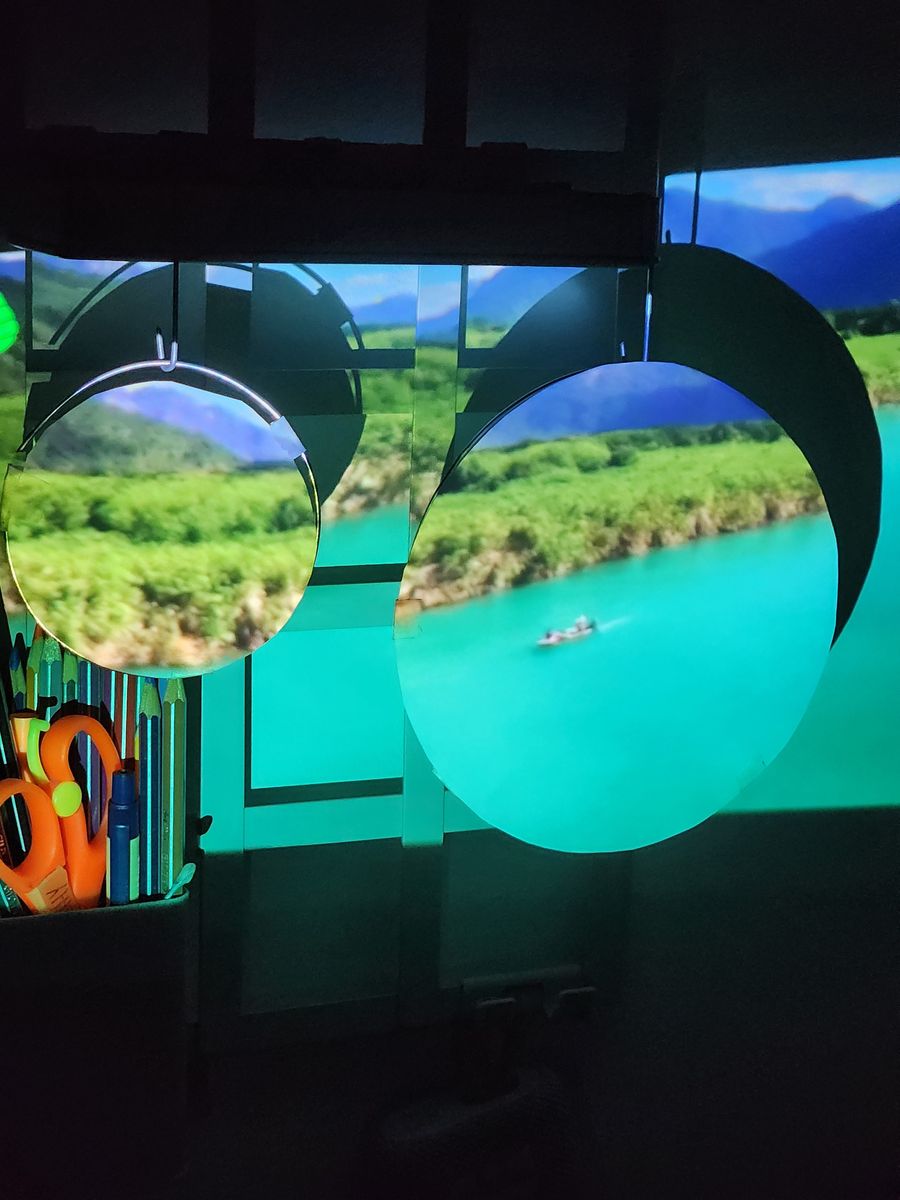
Prototype tests with the landscapes projected onto the hanging circles, June 2023.
What did not work
The circles looked like ovals
The idea and the interaction worked: the gesture opened the portals. The projection did not fit the circles. The image came out stretched, and the circles read as ovals from every angle. The projector was perpendicular to the wall, and I did not try adjusting the shape in MadMapper before the presentation. I could not solve it in time.
I never confirmed the cause. These are my best explanations today — hypotheses, not findings:
-
Hypothesis 1
Aspect ratio. If the content or the mapping canvas was 16:9 and the projector’s native format was different — several Epson models, such as the PowerLite 2250U cited in my brief, are 16:10 — the image would be stretched evenly, which fits seeing ovals from every angle with a projector facing the wall squarely. I used an Epson projector but do not remember the exact model, so I could not check its native format.
-
Hypothesis 2
Shape never calibrated, circle by circle. I did not adjust each circle’s shape in MadMapper, so any mismatch between the content and the physical circles stayed uncorrected.
-
Hypothesis 3
Depth. If the circles hang at different distances from the projector, a single image scale cannot fit all of them.
What I would do today
- Calibrate first, design the content second. Project a test grid of perfect circles before any video.
- Match the projector’s native resolution and aspect end to end, with no automatic scaling.
- Measure every circle — diameter, position, distance — and use the Blender model as the source of truth for the mapping.
- Warp each circle individually in the mapping tool, and test the whole chain in the real room, early enough to iterate.
What I take from it
- Clarify the goal first. Changing the goal from “change the decision” to “amaze” made every other choice easier.
- Calibration is part of the design. An interactive piece lives or dies on how it fits the physical space.
- Hide the technology until it matters. Circles that go unnoticed make the moment they open more surprising.
Credits & sources
Concept, graphic and typographic design, 3D modeling, mounting and presentation: Daniela Masihy. Interaction Workshop III · professors Germán Espinoza and Mauricio Reyes.
The landscape videos and photographs shown in the installation and in the project’s images are not mine; they belong to their respective authors.
Photography in the project’s presentation and visual branding (not reproduced on this page): araucaria and volcano — argentinaextrema.com; guanaco — francescobovolin, Pixabay; mountains — PxHere (CC0); sea — jay mantri, Wikimedia Commons (CC0).
Data: Sernatur · Sernatur, 2022 arrivals. The hand gesture is inspired by Doctor Strange (Marvel).